Overview
First, a little overview
About Petpooja
One of India's largest restaurant platforms, running billing and operations for tens of thousands of outlets. WhatsApp Campaigns lives inside its Marketing Automation product.
What WhatsApp Campaigns does
It lets an owner send WhatsApp marketing to their own customers, from their own WhatsApp Business number. It handles Meta's template approvals, two kinds of campaign, billing, and a performance view that ties messages to real visits and revenue.
My Role
Product Designer, end to end: research, flows, UI, copy, and design QA.
Team
Keynotes
The context
Owners had their customers, but no simple way to bring them back
Owners sit on a list of their own customers but have no simple way to bring them back. WhatsApp is where those customers actually read, yet marketing on it is locked behind Meta's rules: every message needs an approved template, numbers have a daily sending limit, and each message costs money. Doing it right meant learning all of that first.
Who I designed for

Primary user | Restaurant owner
Runs the kitchen, not a marketing desk
Non-technical and time poor. Wants to send an offer and see customers come back, without learning how WhatsApp templates or billing work.

Secondary user | The customer
Reads on WhatsApp, not email
Opens WhatsApp many times a day. Will act on a clear offer from a place they know, and will mute a number that spams them.
The problem
Doing WhatsApp marketing properly was too hard
In owner conversations, the same walls came up again and again. They did not want to learn a platform. They wanted to send an offer and know it worked.
Scared of the bill
"I was afraid I would blow my whole balance in a single send."
Restaurant Owner
Too many choices
"One-time, automated, two wallets. I just wanted to send one offer."
Restaurant Owner
Rejected, with no reason
"Meta kept rejecting my messages and I had no idea what I did wrong."
Restaurant Owner
A mystery limit
"It only let me send a few hundred a day and never explained why."
Restaurant Owner
Did it even work?
"I sent the messages, but I could not tell if anyone actually came back."
Restaurant Owner
The approach
Hide the machinery, show the payoff
The platform's rules are real and cannot be removed. So the bet was to carry that weight for the owner, and surface only the two things they care about: launch something good, and see what it earned.
01
Hide the machinery
Templates, approvals, limits, and billing are handled for the owner, not explained to them.
02
A campaign in a minute
Shortcuts turn a blank page into a ready, approved-style campaign in under a minute.
03
Always show what it earned
Every campaign ties back to real visits and revenue, so sending never feels like shouting into the dark.
The solution
Breaking down the design piece by piece
The product reaches owners who have never run a campaign, so every screen does one job and hands the next decision over clearly.
1. Two clear paths, not a pile of options
Problem identified
One-time, automated, triggers, and two wallets were a wall of jargon on the first screen.
What I did
Split everything into two honest choices, a one-time blast you send now, or an automation that runs by itself, and let the rest of the design follow from that fork.
- •Sends once to the segments you choose
- •Paid up front from the Marketing wallet
- •Capped by today's daily limit
- •Best for a weekend offer to lapsed guests
- •Runs by itself on a trigger, every day
- •Paid per message from the Automated wallet
- •Never capped by the daily limit
- •Best for birthdays and win-backs
2. A guided builder that handles Meta for you
Problem identified
Owners did not know a message needs a Meta-approved template, and rejections felt random and final.
What I did
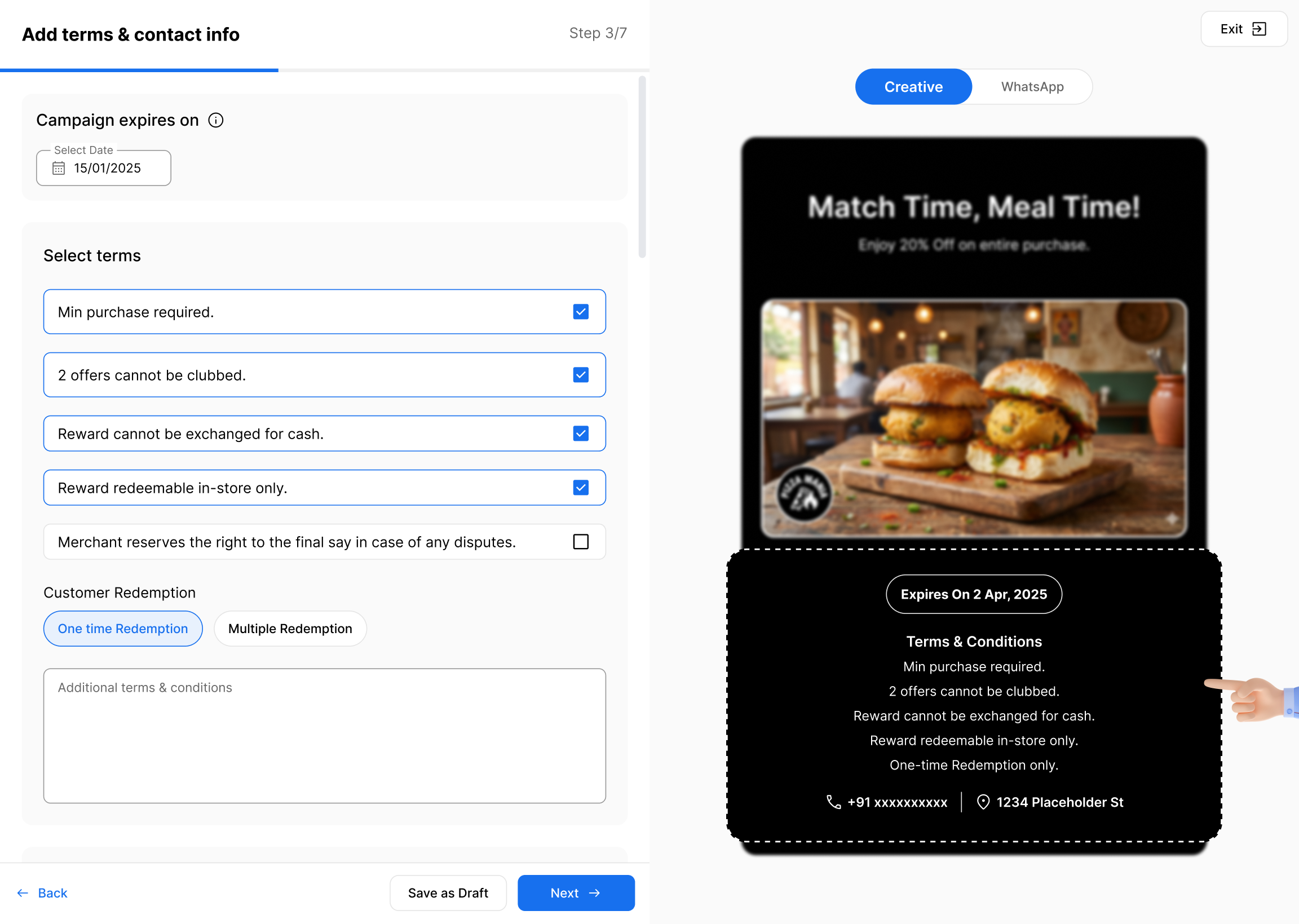
Wrapped the whole thing in a step by step builder with a live preview, and turned Meta's review into a friendly status the owner just waits on, with retries and refunds handled behind the scenes.
Failed messages are retried automatically, then refunded.
3. Two wallets, and no nasty surprises
Problem identified
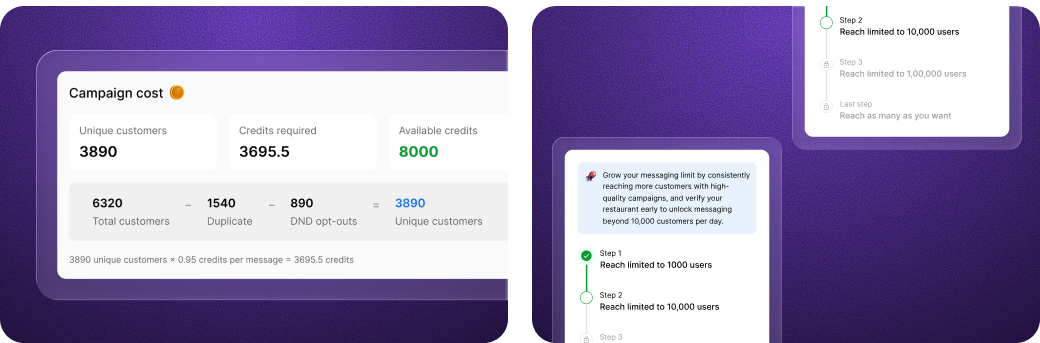
Owners feared overspending: a big send, a mystery daily limit, and a confusing bill.
What I did
Showed the exact cost before launch (unique customers times the rate), and when the daily limit was smaller than the audience, sent only what fit and charged for only that, with a plain note explaining why.
4. A real campaign in under a minute
Problem identified
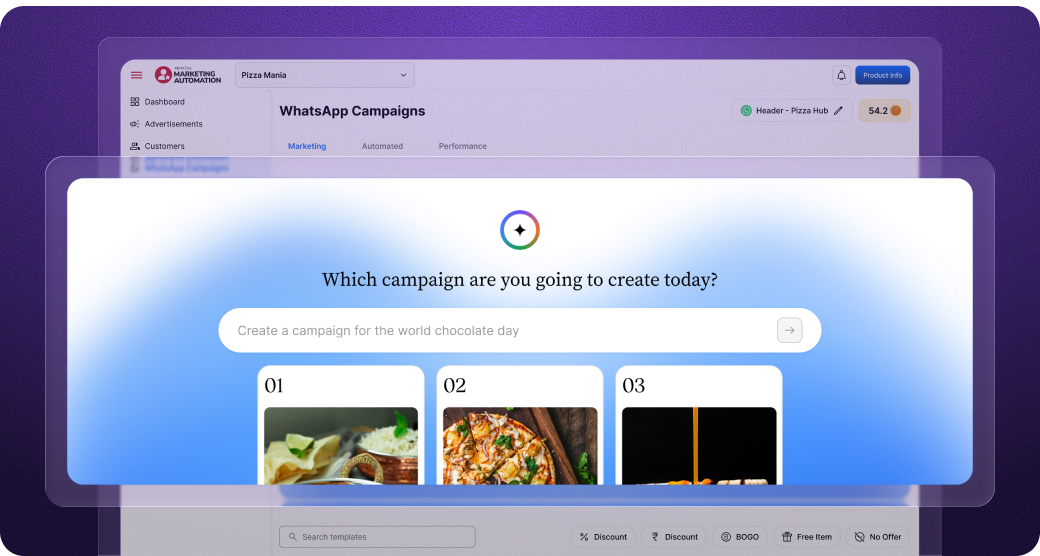
A blank builder is intimidating, and most owners stall before they ever send one.
What I did
Built a quick AI Campaign Builder that recommends ready campaigns based on the outlet's performance and upcoming events.
5. Proving it paid off
Problem identified
Owners could not tell whether a campaign brought anyone back, so they could not trust it.
What I did
Built a performance view that shows the delivery funnel and ties messaged customers to their real orders, as visits and estimated revenue in the campaign's window.
Impact after release
What the tool drove across restaurants
Adoption, July to October 2026
campaigns created by restaurant owners in 12 weeks
WhatsApp messages sent to their customers in the same 12 weeks
campaigns a week, from 51 to 167, and messages a week up 4.6x
Engagement
of messages delivered
of delivered messages read, well above email and SMS
automated campaigns a week, from 6 to 57, as owners set up campaigns that run by themselves
What I would do differently next time
- 01
Teach the daily limit earlier. Owners met the limit at the worst moment, mid-send. I would surface it on the first campaign, with a plain path to grow it.
- 02
Make rejection recoverable in-product. A rejected template still needs support. I would design a clear reason and a one-tap fix-and-resubmit.
- 03
Separate attribution from outcome. Revenue is attributed, not caused. I would show a cleaner read of what the campaign likely drove, not just what followed it.